How viaCMO Works: Audit, Grade, Recommend, Execute, Measure
A structured accountability loop, not a one-time snapshot. Value compounds month after month.
Six Steps. One Accountability Loop.
Connect
60-second read-only connection. Your account is analysed — nothing touched, nothing changed. On paid plans, you can approve and execute recommendations through VIA.
Secure OAuth. Nothing changes without your approval
60-second setup. Connect and get results in minutes
Revoke access anytime from your Google account
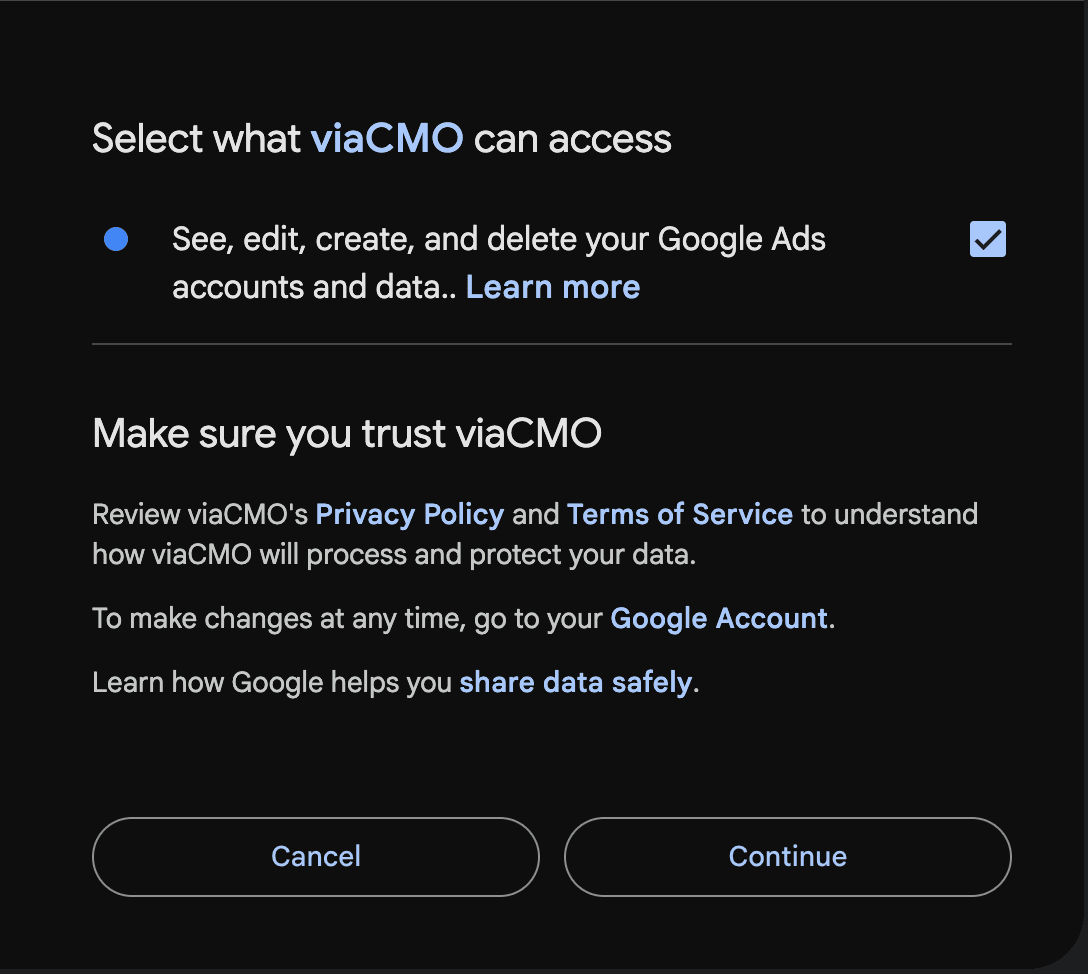
The Google account screen you see when you connect — viaCMO’s verified app, inside Google’s own consent flow.


Official Google Ads API integration
Google issues a single combined read/write scope — there is no read-only option. On Free and Accountability your account is analysed only, never modified. Changes happen only on the Action plan, after you review and confirm a batch inside a VIA session.
Free 25-Point Health Check
Twenty-five checks. Traffic-light results. A score out of 25 — and a projected grade that shows your upside before you spend a cent.
Pre-Audit Results
11 passing, 6 warnings, 1 critical
Full Report & 100-Point Grade
Five weighted categories. Deterministic algorithm, not AI interpretation. Hard caps for critical failures.
Account Grade
CScore
Score Breakdown
Lead gen weights shown. Adapts to your business model
Prioritised Recommendations
Four tiers: Critical / Efficiency / Growth / Behavioural. Fix what's suppressing performance most.
Recommendation Queue
Align bid strategy with campaign objectives
Reduce wasted spend on irrelevant search terms
Complete ad extension setup
Increase budget on Emergency Plumber campaign
Execute via VIA
Review each recommendation and decide: execute it, handle it manually, reject it, or defer it if there's a measurement conflict. Nothing runs until you confirm the batch. A session report shows what succeeded and what was blocked.
Switch Hot Water Systems campaign from Maximise Clicks to Target CPA at $130
Evidence
Nothing executes until you confirm the full batch
Monthly Accountability Report
Monthly reports detect what changed, match it against recommendations, and validate whether it worked. Grade attribution shows what moved your score. The loop repeats. Continuous grading, change detection, and outcome validation are what a monthly accountability plan provides, not a one-off report.
Grade Trend
Previous
47/100
Current
72/100
Your account grade improved by 25 points
Accountability Scorecard
5 of 6 recommendations implemented
Did It Work?
How the 100-Point Grade Is Calculated
Account Foundations
35%Is the account built correctly? Structure, tracking, keywords, audiences.
Performance Efficiency
30%Outcome quality: CPA, CVR, CTR vs benchmarks. Only counts with statistical volume.
Optimisation Responsiveness
15%Contextual reaction to performance shifts. Not activity frequency.
Growth & Scaling Readiness
10%Expansion opportunities, budget constraints, impression share loss.
Best Practice Compliance
10%Google guidelines, asset completeness, policy risks.
Foundations weighted highest because performance metrics only reflect problems after damage is already done. Weak foundations don't just lower your score — they limit what Google's algorithm can learn from your campaigns. Weights adjust by business model: lead generation accounts weight foundations at 40%; e-commerce accounts weight performance efficiency higher.
Frequently Asked Questions
Questions About How It Works
Find Out What Your Google Ads Are Actually Doing
Free 25-point health check. No credit card. Results in minutes.
Get Your Free AuditNothing changes without your approval.